 Skip to content

Over 900,000 Chrome users recently installed malicious browser extensions disguised as popular AI tools like ChatGPT and Claude. In a clear case of Prompt Poaching, security researchers found two fake extensions mimicking a legitimate product called the AITopia AI sidebar. One attracted over 600,000 users and even carried Google’s ‘Featured’ badge, while the other had more than 300,000 installs.
Both extensions provided working chatbot functionality, but behind the scenes they were sending data to attacker-controlled servers every 30 minutes. The stolen information included complete AI chat histories containing proprietary source code, business strategies, and confidential research. The malware also collected browsing activity, including links of all open Chrome tabs, potentially exposing session tokens and corporate credentials.
Google has since removed both extensions, but not before a large volume of data was stolen. Security researchers have started calling this “prompt poaching.” For organizations whose employees installed these extensions, there’s a real chance they unknowingly handed sensitive intellectual property to threat actors.
Below, we look at what this means for enterprise security and how to protect against similar attacks.
The Implications For Enterprise Security
Unlike a typical malware infection, a trusted-looking extension has access to the user’s browser context, and by extension, to a wealth of corporate data. So, for security teams, there are some important implications to consider here:
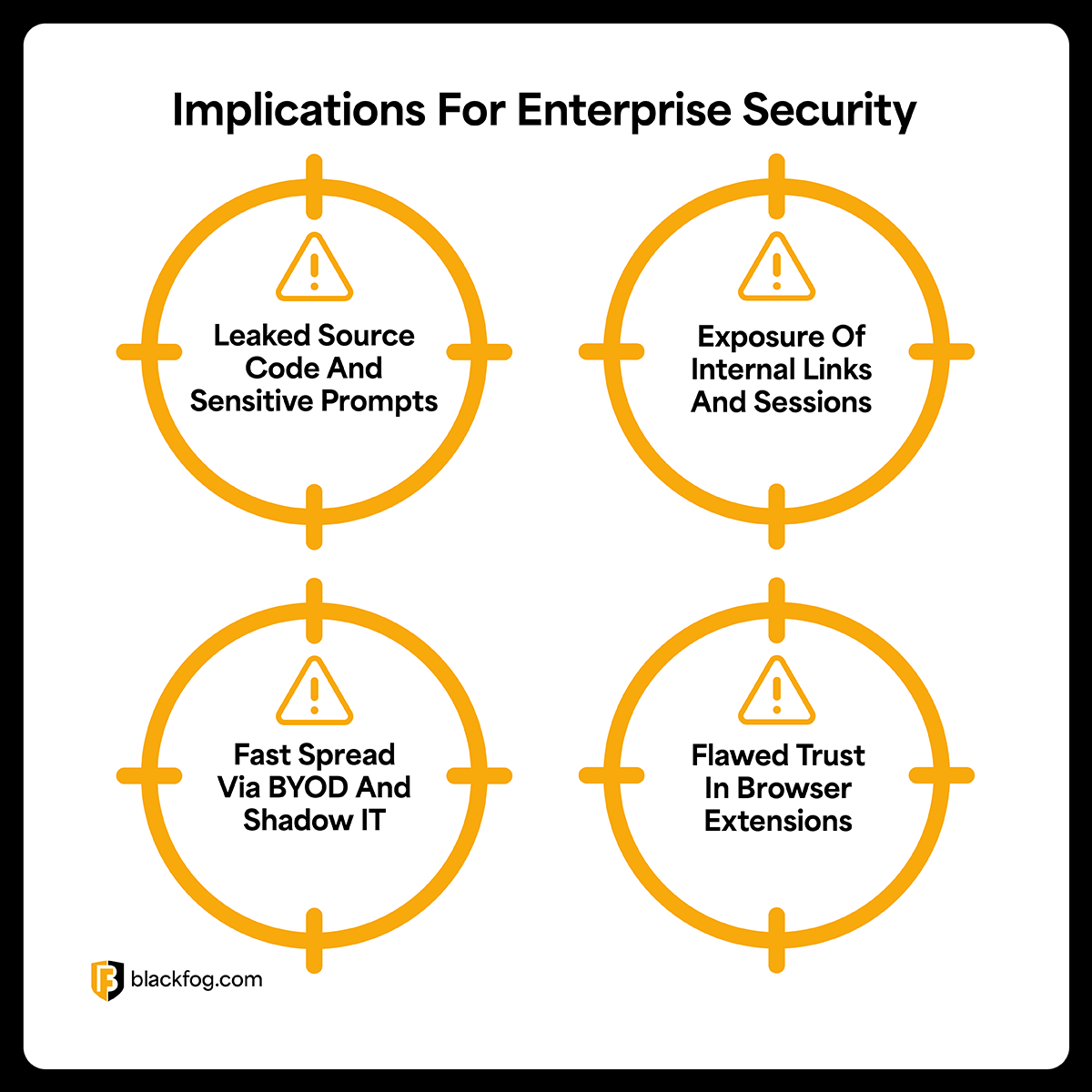
1) Leaked Source Code And Sensitive Prompts
Employees often use AI tools to assist with coding or writing, sometimes pasting snippets of proprietary code or sensitive text into prompts. In this case, those ChatGPT prompts and responses were being siphoned off in real- time. That means proprietary source code, internal business plans, or customer data shared with an AI assistant could now be in enemy hands. An innocuous request like “Help debug this code” might inadvertently hand a threat actor your company’s software IP. Confidential information can leak simply through employees’ interactions with AI.
2) Exposure Of Internal Links And Sessions
The extensions’ data haul included every URL from users’ open tabs. In a corporate setting, this likely revealed internal systems like Atlassian wikis, CRM dashboards, and intranet sites. If an internal web app uses tokens or IDs in the URL, those were collected too. An attacker who knows the URLs of your internal services gains insight into your infrastructure and potential entry points. A malicious extension can also steal session cookies or tokens if it has the right permissions, letting attackers hijack user accounts on corporate apps.
3) Fast Spread Via BYOD And Shadow IT
The speed at which these fake AI tools spread shows a bigger enterprise risk, especially in BYOD or hybrid environments. A lot of users installed the extensions on their own, drawn by the promise of AI productivity boosts. Because these were browser add-ons from an official store, they flew under the radar with no malware alerts. Most organizations lack visibility into which extensions employees have installed, particularly on personal or unmanaged devices.
4) Flawed Trust In Browser Extensions
The biggest lesson is that browser extension trust is deeply unreliable. Users assume that if an extension is on the Chrome Web Store, has thousands of reviews, or a “Featured” label, it must be safe. But attackers can exploit this trust by impersonating legitimate services and obtaining high ratings under false pretenses. In this case, the malicious clone looked legitimate enough to earn a Featured spot in the store. Even truly legitimate extensions can turn malicious via an update or a compromised developer account.
How To Protect Against Malicious Extensions
To protect against threats like fake AI extensions, security teams should think about taking several steps. Here are five practical examples to mitigate the potential attack vector:
1) Discover Shadow AI Usage
Before you can secure AI tools, you need to know what’s actually being used across your organization. Many employees use AI assistants and extensions without IT approval, creating blind spots (basically shadow AI). Use tools that can automatically discover which AI applications are in use, what data they’re accessing, and where potential risks lie (we recently launched ADX Vision for exactly this purpose). Without this visibility, security teams are basically blind.
2) Monitor Outbound Traffic For Anomalies
Given that extensions operate within the browser, they often communicate over standard HTTPS, which can blend in with normal web traffic. Implement monitoring to catch unusual data exfiltration patterns. Set up alerts if a user’s browser is regularly sending large POST requests or frequent traffic to an unknown domain (in this case, the extensions phoned home to a server “deepaichats[.]com”). Outbound web traffic filtering and DNS monitoring can help flag these anomalies. If possible, use network security tools or proxy logs to identify when a browser process is transmitting chunks of data at odd intervals or to non-business domains.
3) Educate And Alert Employees
Technical controls alone aren’t enough, so user awareness plays an important role here. Train employees to be cautious about installing browser extensions, especially those requesting broad permissions like “read all data on all websites.” Make sure they understand that a highly rated extension isn’t automatically safe and that even Chrome Web Store items can be malicious. Encourage a habit of thinking twice before clicking “Add.” Users should also know not to share sensitive code or data with unapproved AI tools or extensions.
4) Enforce Extension Allowlisting
Take control over what extensions can run in your organization. Use browser management tools like Chrome Enterprise policies to block all extensions by default, except for a vetted allowlist of approved plugins. Start by auditing the extensions already in use across the company and remove any that are unnecessary, unvetted, or overly permissive. Only allow extensions that your security team has reviewed and that serve a clear business purpose. This approach means employees can’t install random extensions on their own. If it’s not on the allowlist, it’s blocked.
5) Use Anti Data Exfiltration Endpoint Defense
Protect your endpoints with security tools that specifically prevent unauthorized data leakage. Traditional antivirus may not flag a malicious extension, but endpoint solutions with anti data exfiltration (ADX) capabilities, like BlackFog, can stop the harm by blocking the data flow. These tools monitor outgoing connections and use behavioral analytics to identify when something is trying to send out sensitive data abnormally. With an ADX solution in place, even if a malicious extension slips past other defenses, it can’t phone home with your data.
Stopping Data Exfiltration With BlackFog ADX
Incidents like the fake ChatGPT extensions make one thing quite clear: preventing data exfiltration is ultimately what matters most. Even when attackers get in through clever methods, their end goal is to steal data. This is where BlackFog’s ADX technology comes in.
Rather than relying solely on detecting malware signatures, ADX monitors outbound traffic and uses behavioral analytics to flag suspicious transmissions. If an extension tries to secretly upload your chat history or source code to an external server, ADX blocks that connection in real-time.
For security teams, this means turning a potential breach into a non-event. Even if an employee unknowingly installs a malicious plugin, your sensitive data stays put. ADX acts as a last line of defense by preventing the one thing attackers are after: unauthorized data removal.
Learn more here: Anti Data Exfiltration Demo | BlackFog.
Share This Story, Choose Your Platform!
Related Posts
LotAI: How Attackers Weaponize AI Assistants for Data Exfiltration
What happens when attackers use your approved AI tools as a data exfiltration channel? New research reveals how the LotAI technique turns Copilot and Grok into covert C2 relays.
The State of Ransomware: February 2026
BlackFog's state of ransomware February 2026 measures publicly disclosed and non-disclosed attacks globally.
Steaelite RAT Enables Double Extortion Attacks from a Single Panel
Steaelite is a newly emerging RAT that unifies credential theft, data exfiltration, and ransomware in a single web panel, accelerating double extortion attacks.
ClawdBot and OpenClaw: When Local AI Becomes A Data Exfiltration Goldmine
ClawdBot stores API keys, chat histories, and user memories in plaintext files, and infostealers like RedLine, Lumma, and Vidar are already targeting it.

West Harlem Group Assistance Stops Ransomware and Cryptojacking with BlackFog ADX
West Harlem Group Assistance secures its community mission by preventing ransomware and cryptojacking with BlackFog ADX.
Why Traditional Security Fails To Deal With Advanced Persistent Threats
Learn why advanced persistent threats remain a growing cybersecurity risk in 2026 and where organizations must focus to address them.